How do I connect Claude to the SocialListeningAPI MCP?
SocialListeningAPI’s MCP is available in Claude’s connector directory. You can find it by name and connect through OAuth. You do not need to add a custom MCP URL.
How to connect Claude
-
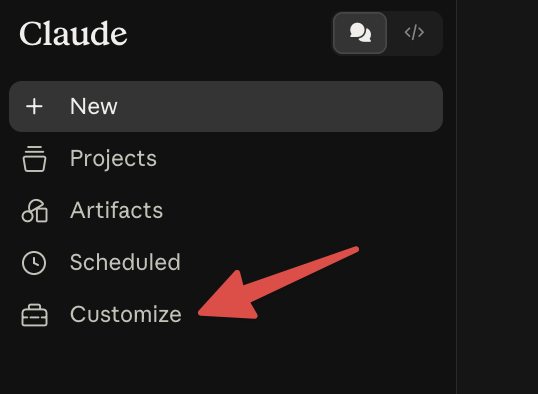
Open Claude and select Customize from the sidebar.
-
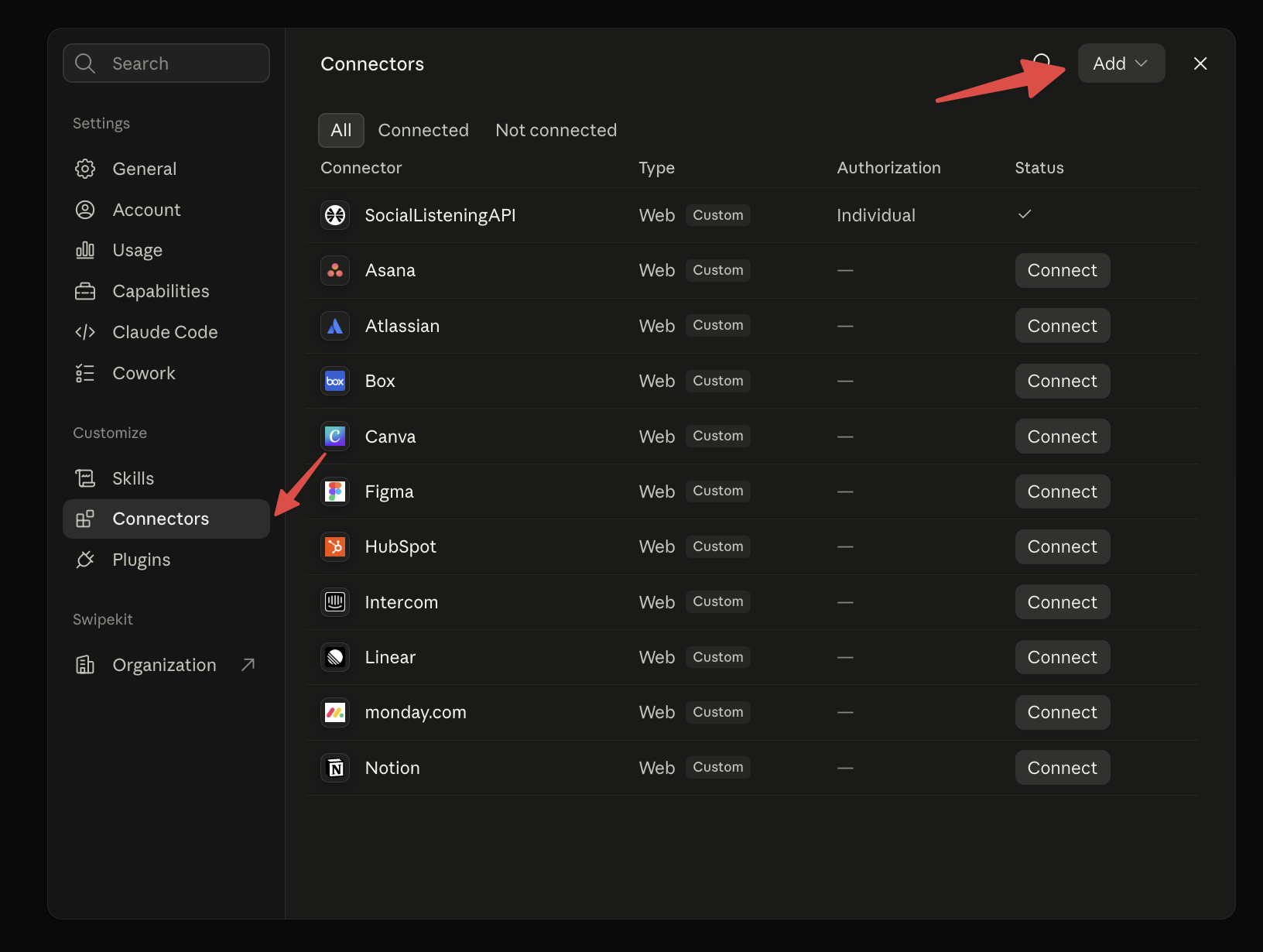
Select Connectors, then choose Add.
-
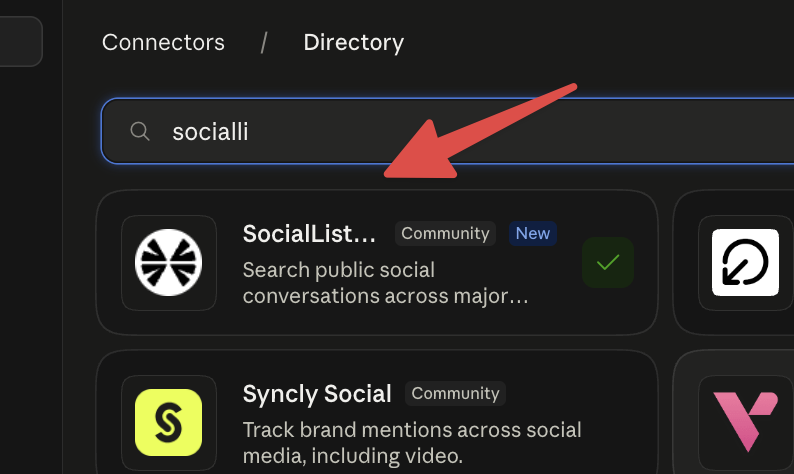
Search the directory for SocialListeningAPI. Open the listing and select Connect.
-
The SocialListeningAPI OAuth screen will open. Sign in and grant access to your workspace.
Once access is granted, Claude can use the SocialListeningAPI MCP tools in your chats. Searches use credits from the workspace you approved.
You can review the connection later under Customize > Connectors. To see available tools, costs, and limits, read the SocialListeningAPI MCP guide.